


Total Institutional Command
With Real-Time Precision
Nano Education Management centralizes all academic, financial, administrative, and communication workflows into one unified platform. Engineered for zero operational lag and offline-first cloud resilience.
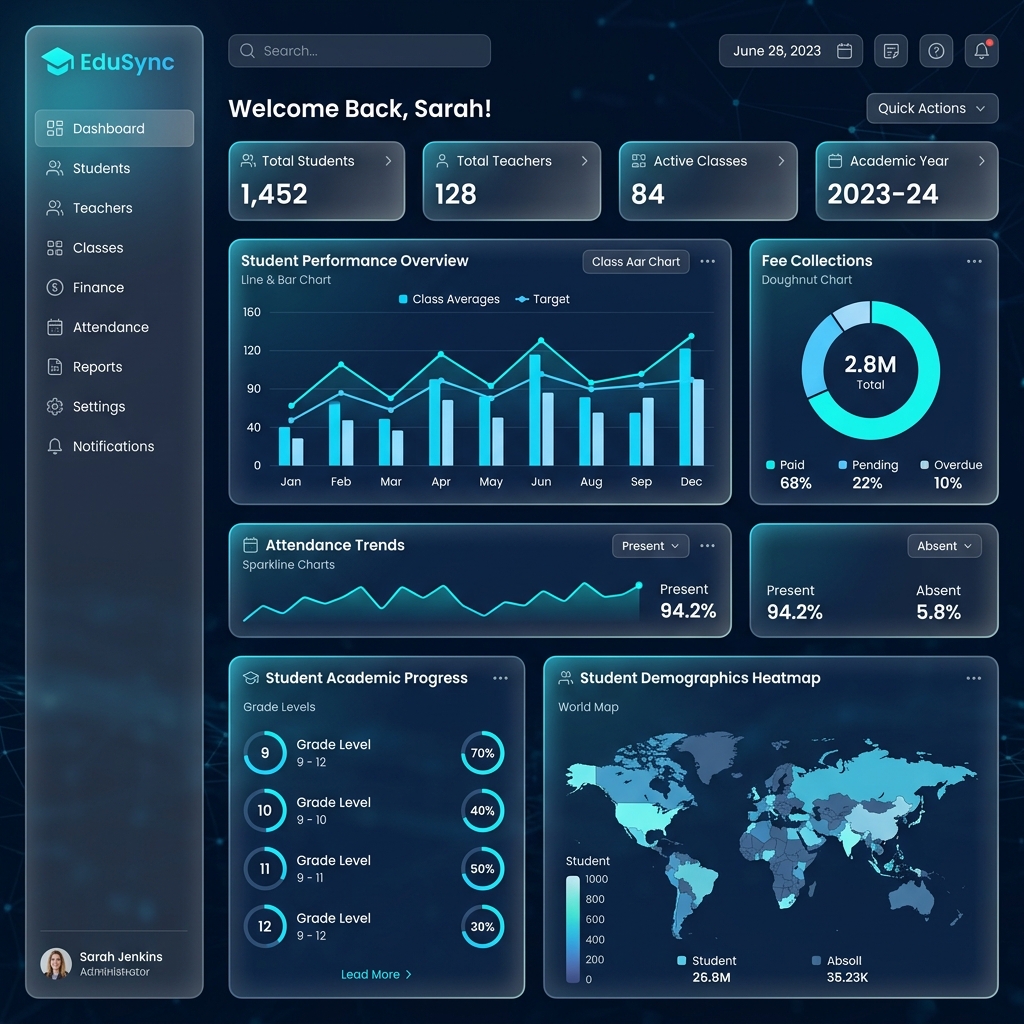
32 Core Modules Engineered for Institutional Governance
From admissions and daily periods to examination marks, staff payroll, and formal leaving certificates—every point is integrated into a unified database.
Dashboard Overview
Real-time institutional command center featuring live bell schedule countdowns, active student counters (805+), daily attendance compliance, and fee collection KPIs with local-first cloud sync.
Students (SIS)
Complete student lifecycle registry capturing admission bio-data, parent details, medical history, category reservations, class-section enrollment, and digital scholar documentation.
Attendance Automation
Multi-modal attendance recording (manual, RFID card tap, or biometric) with instant automated WhatsApp/SMS absence alerts sent directly to registered parent mobile numbers.
Fee Management
Comprehensive billing engine supporting custom fee heads, installment cycles, sibling discounts, late fee rules, pending dues tracking, and instant dual-copy receipt printing.
Examination & Results
Multi-term exam scheduling, hall ticket (admit card) generation, desk seating slips, teacher marks entry portals, and automated multi-term report card/marksheet computation.
Teacher Management
Complete faculty database tracking educational qualifications, assigned subjects, workload distribution, leave logs, and automated monthly payroll integration.
Master Data Hub
The institutional foundation for defining academic sessions, class tiers, sections, mandatory/elective subjects, student categories, caste groups, and school house divisions.
Syllabus & Curriculum
Term-wise subject blueprints and chapter milestone trackers allowing teachers to record real-time syllabus completion percentages and publish study roadmaps.
Assignment & Homework
Digital assignment distribution portal with file attachment uploads, submission deadlines, teacher review feedback, and automated reminders for pending tasks.
Student Diary
Digital replacement for paper school diaries, synchronizing daily class logs, teacher notes on student conduct, homework summaries, and parent acknowledgements.
Achievement & Honors
Comprehensive student portfolio ledger recording academic ranks, sports medals, art honors, olympiad results, and inter-school championship recognitions.
Appointment Letter Engine
Template-driven generation of legally binding employee appointment and contractual offer letters containing salary breakdowns, joining terms, and digital seals.
Audit Trails & Logs
Tamper-proof activity tracking logging every system operation—including fee edits, marks modifications, login timestamps, and IP addresses—for internal audits.
Authentication & RBAC
Granular Role-Based Access Control isolating sensitive administrative and financial modules across Super Admins, Principals, Accountants, Teachers, and Parents.
Contact Directory
Searchable institutional phonebook containing verified contact numbers for emergency services, faculty members, bus drivers, guardians, and education board liaisons.
Daily Thought & Assembly
Morning assembly broadcast tool publishing daily motivational quotes, moral thought of the day, and assembly announcements to dashboards and digital noticeboards.
Employment Certificate
Instant generation of verified employment proof certificates on official school letterhead required by staff members for banking, loan approvals, or visa applications.
Event & Sports Planner
Comprehensive campus calendar for coordinating Annual Days, Sports Meets, Science Fairs, and Parent-Teacher Meetings (PTMs) with attendee RSVP notifications.
Experience & Relieving Letter
One-click issuance of official service certificates and relieving letters upon staff separation detailing tenure, designation, conduct, and roles executed.
Feedback & Sentiment
Digital feedback surveys capturing multi-stakeholder ratings from parents and students on canteen hygiene, bus safety, teaching quality, and school facilities.
General Settings & Branding
Central configuration panel for school name, board affiliation codes, high-resolution logos, timezone, currency symbols (₹), and SMS/WhatsApp gateway credentials.
Holiday & Vacation Calendar
Annual holiday declaration manager (gazetted holidays, festival vacations, summer/winter breaks) integrated directly into attendance percentage algorithms.
Identity Card Generator
Automated batch generation of photo ID cards with embedded barcodes/QR codes, student blood groups, emergency contacts, and dual-sided printable PVC formats.
Notice Board & Circulars
Digital circular distribution platform enabling targeted announcements for specific classes, teachers, or parents with document attachments and read receipts.
Performance Certificate
Print-ready merit and appreciation certificate designer for scholastic rank holders, perfect attendance achievers, and athletic champions on custom borders.
Photo & Media Gallery
Central digital repository organizing high-resolution photo albums from school fests, sports meets, and national day celebrations with parent-friendly viewing.
Promotions & Transfer
End-of-year academic progression engine that batches students from Grade N to Grade N+1 based on exam results, updates sections, and archives graduating batches.
Question Paper Builder
Rapid exam paper generator tapping into a tagged question repository (MCQs, short answer, diagrams) sorted by difficulty levels to produce balanced test papers.
Regular Study (Bonafide) Cert.
Instant issuance of authenticated Bonafide / Regular Study Certificates required by students for government scholarships, passport verification, and bus passes.
Stationary & Uniform Store
Campus inventory tracker for school uniforms, textbooks, notebooks, and lab apparatus with automated low-stock warnings and direct POS billing integration.
Transfer Certificate (TC)
Standardized exit documentation engine with automatic fee dues clearance and library book return validation before generating serial-numbered Transfer Certificates.
Visitor Management (VMS)
Front-desk visitor check-in system with webcam photo capture, purpose of visit recording, host staff alerting, and printable time-stamped digital gate passes.
Automated Device Attendance
With Real-Time WhatsApp Check-In & Check-Out Alerts
Connect any LAN-enabled RFID reader, biometric fingerprint terminal (eSSL, ZKTeco), or facial recognition gate directly to Nano ERP. Taps trigger instantaneous arrival/departure WhatsApp alerts to parents with zero SMS costs.
{
  "rfid_Data": "9842145321"
}present_in (or late if past threshold) & dispatches arrival WhatsApp alert.present_out, computes total on-campus duration & alerts parents.St. Matrix School Official Portal
Official WhatsApp Verified10-Phase End-to-End Institutional Workflow
A blueprint guiding school administrators through system setup, staff onboarding, daily academic routines, and annual student promotion.
School Profile & General Settings
Settings > School Master SettingsDefine Academic Masters
Master > Class, Section, SubjectCategories & Subgroups
Master > Category & Sub GroupUser Roles & Access Control
Role Management > PermissionsDefine Fee Heads & Types
Master > Fee Head & Fee TypeConfigure Fee Cycles & Fines
Master > Fee Cycle & Fine RulesMap Fee Slabs & Concessions
Master > Fee Amount & ConcessionsSet Up Accounts Ledger
Master > Account & Bank MasterDepartments & Designations
HRM > Department & DesignationRegister Staff & Teachers
HRM > Teacher ManagementHR Documentation & ID Cards
Utilities > Staff DocumentsRegister Student Admission
Students > New AdmissionSection Allocation & Enrollment
Students > Section AllocationGenerate Student ID Cards
Identity Card Manager > Bulk PrintBell Schedule & Period Durations
Master > Period Master & Bell SetupMaster Timetable Engine
Timetable Master > Class SchedulesTransport Routes & Bus Stops
Transport > Routes & Stops MasterLibrary Accessioning & Catalog
Library > Books List & AccessionMark Daily Student Attendance
Attendance System > Mark ClassDiary, Homework & Syllabus Track
Student Diary > AssignmentsFee Counter Collections
Fee Management > Collect FeeFront-Desk Visitor Registration
Utilities > Visitor ManagementCreate Exam Master & Date Sheet
Examination > Exams & Date SheetsAdmit Cards & Desk Slips
Examination > Admit Card GeneratorQuestion Paper Builder
Question Paper Builder > WorksheetsMarks Entry & Grade Computation
Examination > Marks EntryPublish Results & Marksheets
Examination > Marksheet ViewerStaff Attendance Audit
HRM > Attendance PanelProcess Monthly Payroll & Payslips
HRM > Payroll PanelFinancial Audit & Defaulter Alerts
Fee Management > ReportsStudent Academic Promotion
Settings > Promote StudentsTransfer Certificates (TC) & Bonafide
Settings > Transfer CertificateRoutine Encrypted Backups
Settings > Database ManagementOffline Caching & Sync Diagnostics
Settings > Sync Diagnostic ToolStandard Institutional Routine Matrix
A clear schedule defining daily, weekly, monthly, and session-end roles across administrators, faculty, and accountants.
| Frequency | Key Operational Routines | Designated In-Charge | Core Modules Leveraged |
|---|---|---|---|
| Daily Routine | Morning Attendance, Visitor Registration, Front Counter Fee Collection, Student Diary Updates, Bell Timetable Monitoring | Class Teachers, Front-Desk, Cashier | Attendance, Visitor, Fee Management, Live Dashboard |
| Weekly Routine | Homework & Assignment Review, Library Book Returns, Question Paper Drafting, Syllabus Coverage Audits | Subject Teachers, Librarians | Assignments, Library, Paper Builder, Syllabus |
| Monthly Routine | Staff Attendance Verification, Payroll & Payslip Generation, Overdue Fee Recovery WhatsApp Broadcasts, Bank Ledger Audit | HR Manager, Senior Accountant, Principal | HRM Payroll, Fee Reports, Account Master |
| Term-End Routine | Date Sheet Publishing, Hall Ticket (Admit Card) Issuance, Desk Seating Slips, Marks Entry, Marksheet Printing | Exam Controller, Academic Head, Teachers | Examination, Marksheet Viewer, Admit Cards |
| Session-End Routine | Annual Result Compilation, Bulk Student Grade Promotion, TC Clearance & Issuance, Next Session Master Setup, Database Archival | Principal, Super Admin, System In-Charge | Promote Students, School Master, Database |
Automated Cloud Backup
Powered by Google Drive API
Nano Education ERP includes a native, automated Google Drive cloud backup engine. Every student record, fee ledger, and marksheet is continuously safeguarded with zero manual intervention.
OAuth 2.0 Security
1-Click browser loopback login with least-privilege drive.file scope. The ERP only reads and writes files it creates—private school emails and drives remain 100% untouched.
Automated Cron & On-Demand
Set daily automated snapshots (e.g. 10:00 AM, 05:00 PM, or after dispersal) plus on-demand 1-click backups before publishing exams or promoting batches.
3-Tier Retry & Local Safety Net
If campus broadband fluctuates, uploads retry 3 times with exponential backoff. A local 30-day safety net archive ensures you never lose data during internet outages.
Instant Disaster Recovery
Single-file complete SQL dump format. If the school computer crashes or is replaced, import the latest cloud snapshot on any new PC in under 5 minutes.
Ready to Digitize Your Educational Institution?
Deploy Nano Education Management across your school, college, or multi-branch educational trust. Our technical team handles complete data migration, master setup, and staff onboarding.